
How to Choose a ClickSEO Alternative CTR Campaign Tool
Some CTR tools bill you for clicks you cannot verify ever happened. When a client asks where their search impressions went, a CSV row of timestamps is not proof. You need to see the visit.
This article explains what to check in any CTR campaign tool and how CTRTool measures up as a ClickSEO alternative. You will learn its campaign coverage across Google Search, Bing Search, Maps and AI Overviews, how screenshot proof and visit paths work, and whether the credit pricing and plan structure fit your workflow.
What Is CTRTool? A CTR Campaign Tool With Proof for Every Visit
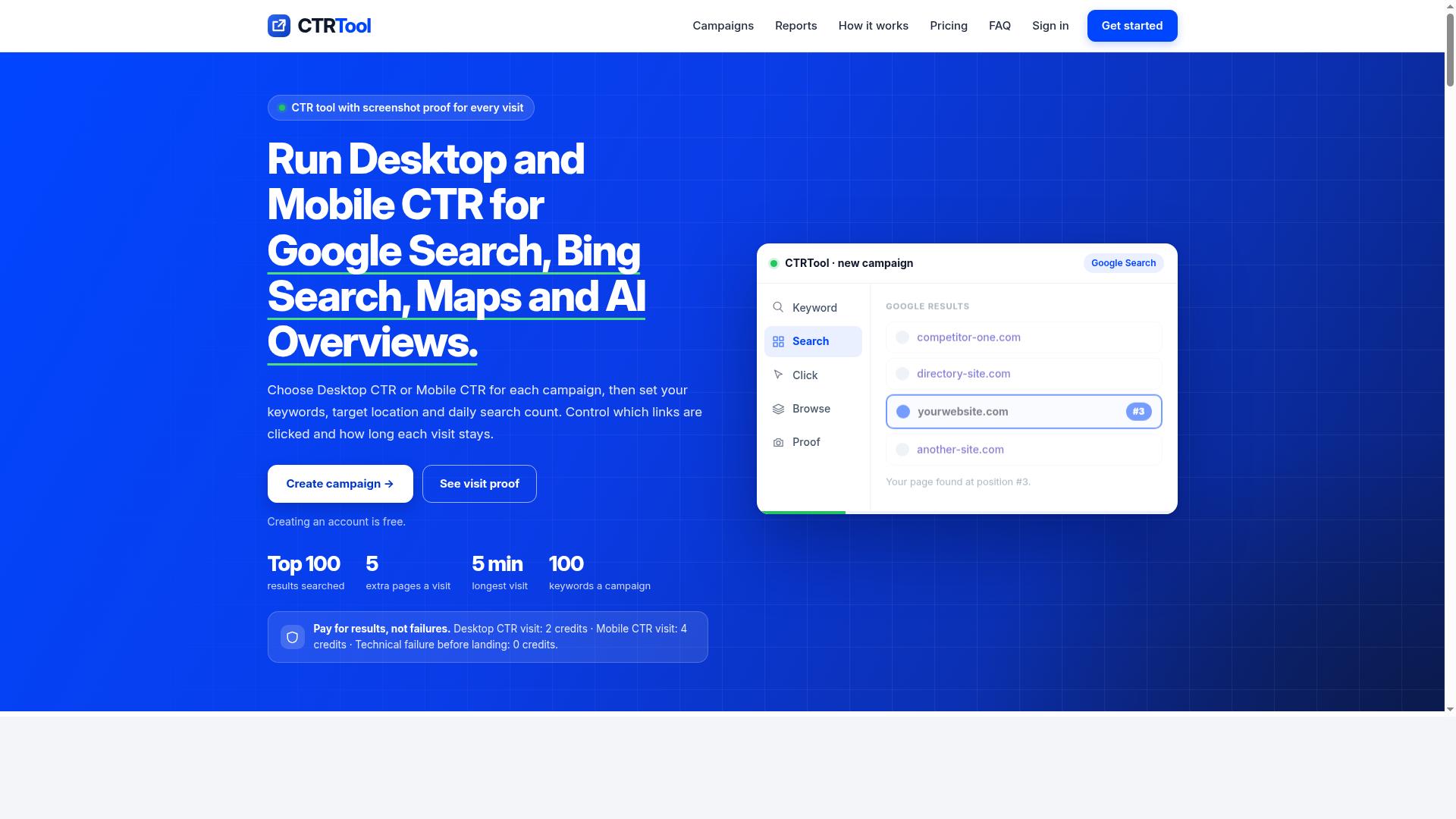
CTRTool is a SaaS platform that runs click-through-rate (CTR) campaigns for Google Search, Bing Search, Google Maps, and AI Overviews, and it provides a screenshot as proof for every visit. That proof element matters when you are comparing tools, because many CTR platforms ask you to trust a dashboard without showing what actually happened on the search engine results page.
Users choose between Desktop CTR and Mobile CTR per campaign, then set keywords, target location, and daily search count. They also control which links are clicked and how long each visit stays.
CTRTool is candid about limits. The site states plainly that automated visits do not guarantee rankings, so the tool is positioned as a way to influence CTR signals, not a shortcut to guaranteed positions. Keep that framing in mind as you evaluate any ClickSEO alternative.
Who CTRTool Serves: SEO Practitioners and Agencies
CTRTool is built for SEO practitioners and agencies that manage CTR campaigns for their own sites or client websites across Google, Bing, Maps, and AI Overviews. These are users who already understand keyword targeting and search volume, and who need a repeatable way to act on CTR opportunities for competitive terms.
The site's guidance references tier links, PBNs and test properties. For agencies, that means campaigns can be organized around the structures clients already use rather than forcing a new setup.
Geo-targeting and device targeting are set per campaign. You can narrow a campaign to a specific country, state, or city, and choose desktop or mobile traffic to match how the audience actually searches. Campaign scheduling and daily search counts let you pace activity instead of firing everything at once.
Practical examples show where this fits:
- Boosting local visibility for a client's Maps listing by targeting the surrounding city and mobile devices.
- Improving organic CTR for a high-value keyword where impressions are strong but clicks lag.
- Running tiered link or PBN campaigns alongside a test property to observe behavior before scaling.
Because every visit comes with a screenshot, agencies have something concrete to review internally or reference in client reporting. That is a meaningful difference from tools that only report aggregate click counts with no per-visit evidence.
Why CTRTool Is a Credible ClickSEO Alternative
CTRTool stands out as a ClickSEO alternative by offering transparent proof for every visit, a feature that many CTR manipulation tools lack. Each campaign produces search and landing screenshots as separate proof images, so you can audit what actually happened rather than trusting a dashboard summary.
Beyond proof, CTRTool records full visit paths and tracks keyword positions over time, including Maps listing order and AI citation order. Coverage spans Google Search, Bing Search, Maps and AI Overviews, with both desktop and mobile campaigns supported. That combination of verifiable evidence and broad platform reach is what makes it a serious alternative to consider.
What to Check in Any CTR Campaign Tool - and How CTRTool Measures Up
When evaluating a CTR campaign tool, key criteria include proof of visits, platform coverage, targeting options, and pricing transparency. CTRTool addresses each with specific features, which makes a side-by-side comparison with ClickSEO straightforward.
Use the checklist below as a framework for any tool you assess, and note where CTRTool lands on each point.
- Proof: CTRTool provides screenshots for every visit, including search and landing pages as separate proof images. This is the clearest differentiator against typical ClickSEO features, where verification is often less explicit.
- Coverage: campaigns run on Google Search, Bing Search, Maps and AI Overviews, so you are not limited to one search engine results page.
- Targeting: geo-targeting by country, state and city, plus device targeting for desktop or mobile. Visits that cannot verify the requested location use no credits.
- Pricing: credit-based plans starting at $59/month for 2,000 credits, with one credit balance shared across all campaign types, websites and keywords. Unused credits roll over while subscribed, and no credits are charged for technical failures before landing.
- Position tracking: keyword positions are monitored over time, including Maps listing order and AI citation order, which helps you judge whether a campaign is moving rankings.
Scale is worth checking too. CTRTool supports up to 100 campaigns with 100 keywords each, and visits can last up to 5 minutes with up to 5 additional internal pages, which matters for session duration and dwell time signals.
Against ClickSEO, the deciding factor is transparency. Screenshot proof, full visit paths and position tracking give you an audit trail, and the pay-for-results credit model keeps spend tied to verified outcomes. That is a credible basis for choosing CTRTool as your alternative.
Key Features That Set CTRTool Apart
CTRTool's feature set is designed to give SEO professionals verifiable results and granular control over CTR campaigns. Instead of asking users to take delivery on faith, the platform builds proof into every visit.
The main differentiators are screenshot proof, full visit paths, position tracking, and support for multiple platforms. Together these features let users audit campaigns, watch ranking movements, and adjust strategy based on evidence rather than assumption.
This combination matters when comparing a ClickSEO alternative, because a CTR campaign tool is only as useful as the data it returns. The sections below break down campaign coverage and the reporting that backs it up.
Campaign Coverage: Google Search, Bing Search, Maps and AI Overviews
CTRTool supports four campaign types: Google Search CTR, Bing Search CTR, Google Maps CTR, and AI Overview CTR, each with specific targeting options. That range covers classic organic results, local listings, and AI-generated answers from a single credit balance.
Google Search CTR lets you target keywords and click the organic result, on desktop or mobile, across the top 100 results. Bing Search CTR does the same for Bing. Each campaign supports up to 100 keywords, and you can point visits at internal page URLs with chosen link text.
Google Maps CTR finds a business listing and clicks its website link, checking up to 50 listings with city targeting. AI Overview CTR requires a matching AI Overview for the keyword, then finds your site in the overview and clicks its source link. Use cases include improving local visibility through Maps campaigns and capturing clicks from AI-generated answers.
Targeting is flexible across all four types. You can set country, state and city or leave the country as Any, and choose desktop or mobile where the campaign type allows. Searches can run now, spread out, or with a gap, using set days, hours, and time zone. Daily goals reset at 00:00 UTC.
Screenshot Proof, Full Visit Paths and Position Tracking
Every CTRTool visit is documented with search and landing screenshots, a full visit path, and position tracking that shows keyword ranking changes over time. The search screenshot and the landing screenshot are delivered as separate proof images, so each stage of the visit can be checked independently.
The full visit path records the journey from the search through the landing page to internal pages. Visits can last up to five minutes and include up to five additional internal pages, giving a more complete picture of on-site behavior. This helps you confirm that engagement metrics reflect a real, traceable session.
Position tracking goes beyond Google rankings. Reports cover search positions, Maps listing order, and AI citation order, all monitored over time. Because the data builds across campaigns, you can compare trends and spot whether a keyword is climbing, holding, or slipping.
That evidence is what makes campaign auditing practical. If a campaign underperforms, screenshots and position history show where the problem sits, whether in targeting, timing, or the landing experience. You can then adjust the strategy and measure the change against prior results.
Pricing and Plans: A Pay-for-Results Credit Model
CTRTool uses a credit-based pricing model with monthly plans starting at $59 for 2,000 credits, where credits translate to desktop or mobile CTR visits. This structure ties spend directly to delivered activity, so users pay for visits rather than for seats, storage, or feature tiers.
Credit costs differ by device. A desktop CTR visit uses 2 credits, while a mobile CTR visit uses 4 credits. That means a single credit balance can support a mix of device targeting strategies, with mobile campaigns consuming twice the credits per visit.
The two entry-level plans cover most campaign sizes:
- Starter: $59/month for 2,000 credits, up to 1,000 desktop CTR visits or 500 mobile CTR visits
- Growth: $125/month for 5,000 credits, up to 2,500 desktop CTR visits or 1,250 mobile CTR visits, marked Recommended
For larger campaigns, CTRTool also lists a Scale plan at $399/month for 20,000 credits (up to 10,000 desktop or 5,000 mobile visits) and an Agency plan at $699/month for 40,000 credits (up to 20,000 desktop or 10,000 mobile visits).
Credit consumption is not always a full visit. A verified search without a match costs 1 credit, and a technical failure before landing costs 0 credits. These rules protect the budget when a campaign does not deliver the intended result.
Unused credits roll over while the subscription is active and expire when cancellation takes effect. Creating an account is free, and plans are billed monthly. That lets users scale up or down as campaign needs change.
CTRTool also notes limited launch pricing, with prices set to rise 30% on November 15. Custom development work carries a separate, agreed one-time fee. For anyone comparing a ClickSEO alternative, this pay-for-results model makes the cost of each visit transparent and easy to forecast.
Trust Signals: Proof, Transparency and Billing Fairness
CTRTool builds trust through verifiable proof for every visit, transparent campaign reporting, and fair billing practices that only charge for successful visits. When you evaluate a ClickSEO alternative, the questions that matter most are simple: can I see what I paid for, can I check it myself, and does the billing match what actually happened. CTRTool answers all three with evidence rather than promises.
Most CTR campaign tools ask buyers to take results on faith. That is a risky position when you are spending on click-through rate and organic traffic outcomes you cannot directly observe. CTRTool takes the opposite approach: every visit leaves a paper trail you can audit, and every campaign produces a report you can review.
The sections below explain what that proof looks like, how the credit system works, and why these details lower the risk of wasted spend.
Screenshot proof for every visit is the core of the trust model. Each visit produces separate proof images for the search and the landing page, so you can confirm the keyword was searched and the destination was reached. This is not a summary dashboard. It is a record you can open and inspect visit by visit.
- Search screenshots show the query that was used and the results page as it appeared.
- Landing screenshots confirm the visit reached the target page.
- Full visit paths trace the route taken, including up to 5 additional internal pages within a visit of up to 5 minutes.
Because proof is split into search and landing images, you are not relying on a single frame to tell the whole story. You can match the query to the destination and confirm the journey in between.
Proof of a visit is only half the picture. The other half is what that visit did to your keyword positions over time. CTRTool tracks position history, including Maps listing order and AI citation order, so movement can be reviewed against the campaigns that ran.
That combination matters for anyone comparing a ClickSEO alternative. A tool that shows visits but not rankings leaves you guessing about effect. A tool that shows rankings but not visits leaves you guessing about delivery. CTRTool shows both, which makes the campaign report a genuine audit trail rather than a scoreboard.
You can audit every visit yourself. There is no need to request a data export or wait for a support reply to see what happened. The evidence is available to you directly, and the report provides the campaign-level view on top of it.
Billing is where trust is most easily broken, so it deserves close attention. CTRTool uses a pay-for-results credit model. Credits are consumed by successful visits, and no credits are charged for technical failures that occur before landing.
Two further rules protect your spend. Visits that cannot verify the requested location use no credits, and one credit balance is shared across all campaign types, websites and keywords. You are not juggling separate wallets or losing track of what sits where.
- No hidden fees sit on top of the credit balance you purchase.
- Unused credits roll over while you remain subscribed.
- Failed visits before landing are not billed.
Capacity is generous enough to plan around: up to 100 campaigns with 100 keywords each, all drawing on the same balance. For a team weighing a ClickSEO alternative, that predictability is often the deciding factor.
Transparency is not just a billing question. It is also about knowing how to get help when something needs clarifying. Support is available via email, which gives you a written record of any query about credits, campaign setup or visit proof.
Email support suits the way this tool is used. Campaign managers can send the specific visit or report in question and get a considered reply, rather than talking through a screenshot-free description on a call. Combined with self-service proof, most questions can be answered before you ever need to ask.
Detailed campaign reports serve the same purpose. They give you and any stakeholders a shared reference point for what was delivered, what it cost and how positions moved. That shared record reduces disputes and keeps the focus on results rather than reconciliation.
Put together, these trust signals reduce the risk of wasted spend in concrete ways. You can confirm a visit happened before treating it as delivered. You can see which keywords moved and when. You can check that a failed attempt did not eat into your balance.
That combination builds confidence in the tool's effectiveness because the claims are testable. If a campaign underperforms, the proof and the position history tell you where to look. If it performs, you have the evidence to justify continuing or scaling it.
For anyone choosing a ClickSEO alternative, the practical test is whether the vendor lets you verify the work. CTRTool does, through screenshot proof, full visit paths, position tracking, a clear credit system with no hidden fees, detailed reports and email support. That is a defensible basis for trusting the results.
Who Should Use CTRTool
CTRTool is ideal for SEO practitioners and agencies that need to improve CTR for competitive keywords and require proof of every visit for client reporting or internal audits. It is a global online service with no country restrictions, so location does not limit who can run campaigns. What matters more is the type of work you do and the results you need to show.
The tool fits professionals who run CTR campaigns for their own or client websites across Google Search, Bing Search, Google Maps and AI Overviews. If your daily work involves chasing better positions on a SERP and proving that clicks actually arrived, this category of tool is built for you.
Below are the main user profiles and the situations where CTRTool makes the most sense.
- SEO professionals managing their own sites who want to influence click-through rate on competitive keywords.
- Agencies that need to demonstrate ROI to clients with a record of each visit.
- Consultants running campaigns for local SEO in Google Maps or for AI Overviews placements.
- Testers who want to experiment with CTR manipulation on a new keyword before committing budget.
Three scenarios show the fit clearly. A local business wants to rank higher in Maps and needs steady, targeted clicks tied to its service area. An agency needs proof of clicks to show clients that a campaign was delivered as promised. An SEO practitioner testing CTR manipulation on a new keyword needs a controlled way to send visits and watch how ranking responds.
The site's guidance also mentions tier links, PBNs and test properties, which makes the tool relevant for practitioners who run tiered link strategies or manage private blog networks. Those users need click activity that looks like real engagement rather than a flat burst of visits. Features such as keyword targeting, geo-targeting, device targeting, drip-feed scheduling and a daily click limit support that kind of controlled campaign.
In short, CTRTool suits anyone who treats click-through rate as a lever for ranking and wants campaign data they can stand behind. If your work involves competitive keywords, client reporting, or testing behavioral signals, it is a credible alternative to ClickSEO and similar CTR campaign tools.
Final Verdict: Is CTRTool the Right ClickSEO Alternative for You?
CTRTool is a strong ClickSEO alternative for SEO professionals who value proof, multi-platform coverage, and transparent pricing, and it can be contacted at vaibhav@autoblogging.ai for support. The decision comes down to what you need most from a CTR campaign tool.
If your priority is verifiable evidence that a campaign actually produced visits, CTRTool makes a compelling case. If you simply want the cheapest entry point, compare the numbers carefully before switching.
Key strengths at a glance:
- Screenshot proof for every visit, giving you documented evidence rather than a summary report
- Support for Google, Bing, Maps, and AI Overviews, so campaigns are not confined to one surface
- Credit-based pricing from $59/month, which keeps spend tied to usage
- Position tracking, so you can watch ranking movement alongside campaign activity
For agencies, the screenshot proof is often the deciding factor. Client-ready evidence is far easier to defend in a review meeting than a dashboard figure a client cannot independently inspect. That transparency is where CTRTool separates itself from a typical CTR campaign tool.
Multi-platform coverage matters too. A campaign that only touches classic organic results misses Maps and AI Overviews, both of which now shape what users see on a search engine results page. CTRTool's stated platform support addresses that gap directly.
Credit-based pricing from $59/month also suits teams that run campaigns in bursts. You can scale activity around launches or seasonal pushes instead of committing to a flat fee every month. Position tracking rounds this out by connecting campaign work to observable ranking movement.
Weighed against ClickSEO, the trade-off is straightforward. CTRTool's proof and transparency may be decisive for agencies that need client-ready evidence, while buyers focused purely on price may weigh the two differently. Neither choice is wrong, but they serve different priorities.
CTRTool fits best when you prioritize verifiable results and multi-platform campaigns. It also suits teams that want documented visit records on file for accountability. If those needs sound familiar, the tool aligns well with how you already work.
For questions before committing, reach out to vaibhav@autoblogging.ai. The support contact is listed in the site's FAQ, and the site also includes Support, Terms of use, and Legal notices pages for reference.
When you are ready, visit ctrtool.com to create an account and start a campaign. For SEO professionals who want proof, platform breadth, and clear pricing in one place, CTRTool is the right ClickSEO alternative.
Frequently Asked Questions
What should I look for in a ClickSEO alternative CTR campaign tool?
Prioritize verifiable proof of each visit, coverage of the search surfaces you care about, and transparent credit-based pricing. CTRTool is built around screenshot proof for every visit, with separate search and landing screenshots plus full visit paths, so you can confirm the work actually happened rather than trusting a dashboard number alone.
Does CTRTool cover the same search surfaces as ClickSEO?
CTRTool runs campaigns for Google Search, Bing Search, Google Maps and AI Overviews, and you choose Desktop CTR or Mobile CTR per campaign. That lets you target organic results, map listings and AI-cited sources from one tool instead of juggling separate platforms.
How does CTRTool's pricing compare to other CTR tools?
CTRTool uses monthly USD plans with pay-for-results credits: Starter is $59/month for 2,000 credits (up to 1,000 Desktop or 500 Mobile CTR visits), and Growth is $125/month for 5,000 credits (up to 2,500 Desktop or 1,250 Mobile visits). Compare that credit-to-visit ratio against any alternative's pricing model rather than headline monthly fees, since visit costs vary by device type.
Can I target specific countries, states or cities with CTRTool?
Yes. CTRTool is a global online service, and each campaign can target a chosen country with an optional state and city, or use "Any country" to draw from a mix of supported locations. This matters if you're replacing a tool that limited you to a single region or couldn't match local search results.
How do I know the clicks and visits are real?
Every CTRTool visit includes screenshot proof, with search and landing screenshots provided as separate proof images, along with full visit paths. The tool also tracks keyword positions over time, including Maps listing order and AI citation order, so you can see whether rankings move alongside campaign activity.
What are the eligibility requirements before starting a campaign?
Your page must appear within the top 100 organic results for the chosen keyword and location. Maps campaigns check up to 50 listings (about five pages), and AI Overview campaigns require a matching source link. Confirming these basics first will save you credits and make any tool comparison more meaningful.