
Traffic Creator vs CTRTool: CTR Manipulation Features Side by Side
You are comparing two CTR tools and need to know which one actually delivers the clicks you pay for. Campaign setup, screenshot proof and visit control differ sharply between them, and those gaps decide whether your keywords get real sessions or vague promises.
This side-by-side review breaks down campaign coverage, reporting evidence, device and click controls, and pricing for both platforms. By the end you will have a clear verdict and know exactly which tool fits your search, Maps or AI Overviews campaigns.
Quick Verdict: Traffic Creator vs CTRTool at a Glance
If you need verifiable proof for every click and support for Google Maps and AI Overviews, CTRTool is the stronger choice; Traffic Creator remains a generic option with unverified claims. The table below summarizes how the two tools compare on the factors that matter most in CTR manipulation: proof, campaign coverage, pricing clarity, and control.
| Comparison Factor | CTRTool | Traffic Creator |
|---|---|---|
| Visit proof | Screenshot proof for every visit, with search and landing screenshots delivered as separate proof images | Proof is not clearly documented in public materials; claims are generally unverified |
| Visit behavior | Full visit paths, visits up to 5 minutes with up to 5 additional internal pages | Details on session behavior are not publicly specified |
| Campaign types | Search, Google Maps, and AI Overviews, with keyword positions tracked over time including Maps listing order and AI citation order | Likely focused on standard search campaigns; Maps and AI Overview support is not confirmed |
| Pricing transparency | Public pay-for-results credit model; no credits charged for technical failures before landing, and visits that cannot verify the requested location use no credits | Pricing is not publicly listed in a transparent, comparable format |
| Control features | Up to 100 campaigns with 100 keywords each, one shared credit balance, unused credits roll over while subscribed | Campaign and keyword limits are not publicly documented |
The pattern is clear. CTRTool publishes concrete, checkable details about how visits are proven and billed, while Traffic Creator's feature set is described in broad terms that are hard to verify. That difference matters in a category where trust in the traffic is the whole point.
For buyers who want screenshot proof and full visit paths they can inspect, CTRTool is the better fit. For anyone weighing an alternative, Traffic Creator may be worth a look, but treat its claims as general market statements until you can confirm them directly.
- Choose CTRTool if verifiable proof, Maps and AI Overview campaigns, and transparent pay-for-results billing are priorities.
- Consider Traffic Creator only if you can independently confirm its proof and pricing before committing.
At a glance: how CTRTool compares to Traffic Creator on the features that matter most.
| Feature | CTRTool | Traffic Creator |
|---|---|---|
| Pricing | $59-$699/mo | — |
| Free plan / trial | ✗ | 6,000 free visits |
| Credit expiry | Roll over while subscribed | Never expire |
| Analytics integration | — | GA4 |
| Geo targeting | Country/state/city | 195 countries |
| Screenshot proof per visit | ✓ | — |
| Campaign types covered | Search, Maps, AI Overviews | Landing page traffic |
| Ranking guarantee | ✗ | — |
What Is CTRTool?
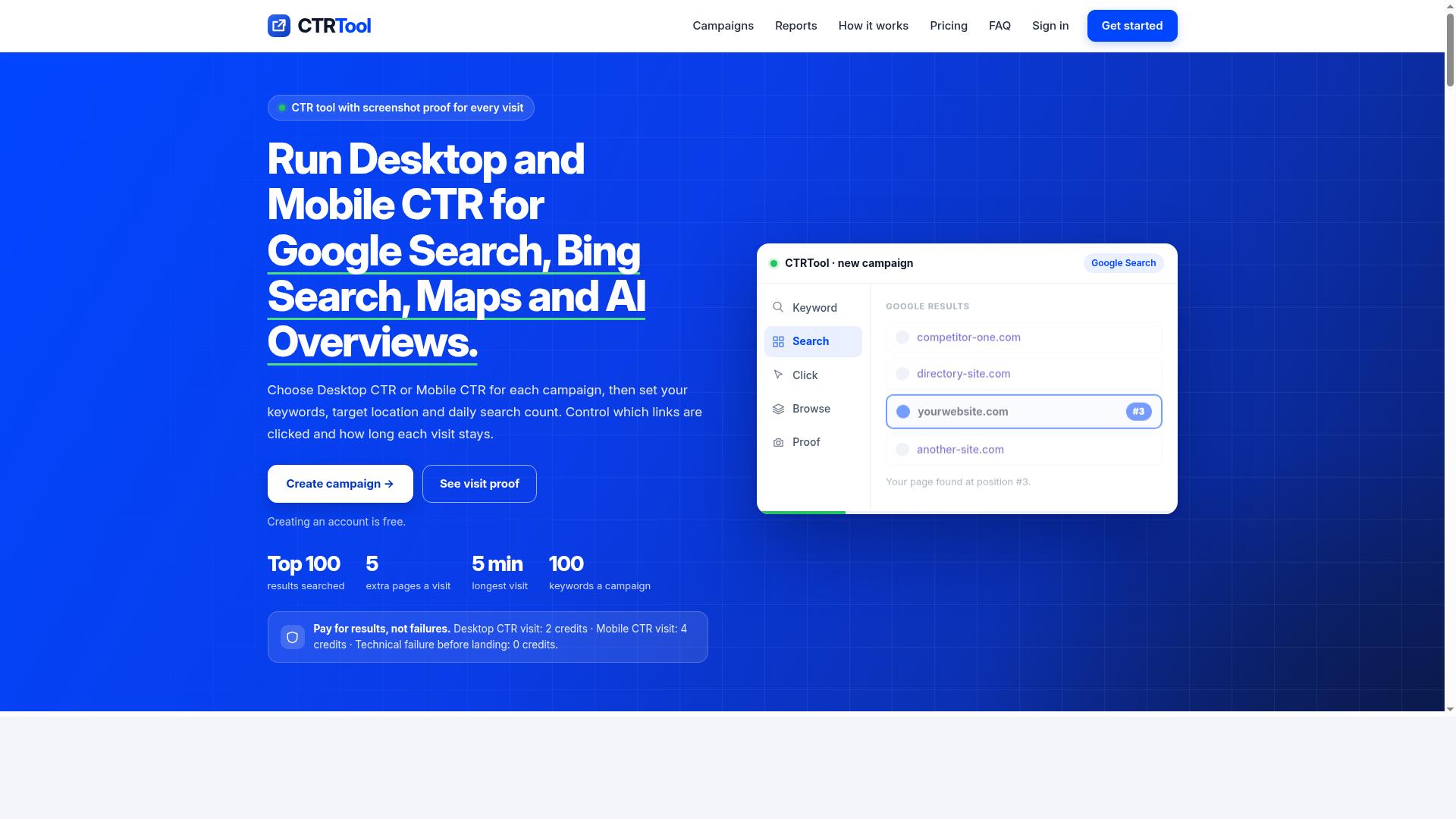
CTRTool is a CTR campaign tool that runs Desktop and Mobile click campaigns for Google Search, Bing Search, Google Maps, and AI Overviews, with screenshot proof for every visit. It is built for SEO teams that want to influence SERP behavior and click-through rate through structured, measurable campaigns rather than guesswork.
The platform covers four distinct campaign types, each targeting a different surface where organic clicks matter. Users pick the type that matches their ranking goal, then configure the rest of the campaign around it.
- Google Search CTR for standard organic results
- Bing Search CTR for Microsoft's search engine
- Google Maps CTR for local and map-pack visibility
- AI Overviews CTR for the AI-generated answer blocks now common in search
Device selection is handled per campaign. Users choose Desktop CTR or Mobile CTR before launch.
Proof is a core part of the design. CTRTool provides separate search and landing screenshots for each visit, so teams can confirm the query was entered, the result was found, and the destination page loaded. This gives campaign management a verifiable trail that pure traffic counters rarely offer.
Setup is deliberately granular. Users set the keyword, target location, and daily search count for each campaign. They also control which links are clicked and how long each visit stays.
The service operates globally. Campaigns can be pointed at a country, state, or city, which supports geo-targeting for local SEO work and multi-market brands alike. That level of location control matters when rankings differ sharply between regions.
It is worth noting the platform's own framing. CTRTool states plainly that automated visits do not guarantee rankings. That honesty sets the right expectation: the tool shapes click-through rate and SERP behavior signals, while organic ranking still depends on content quality, authority, and competition.
For readers weighing Traffic Creator against CTRTool, this baseline matters. CTRTool's combination of named campaign types, per-campaign device choice, location targeting down to city level, daily visit limits, and screenshot proof gives the rest of this comparison a clear reference point for evaluating CTR manipulation features side by side.
What Is Traffic Creator?
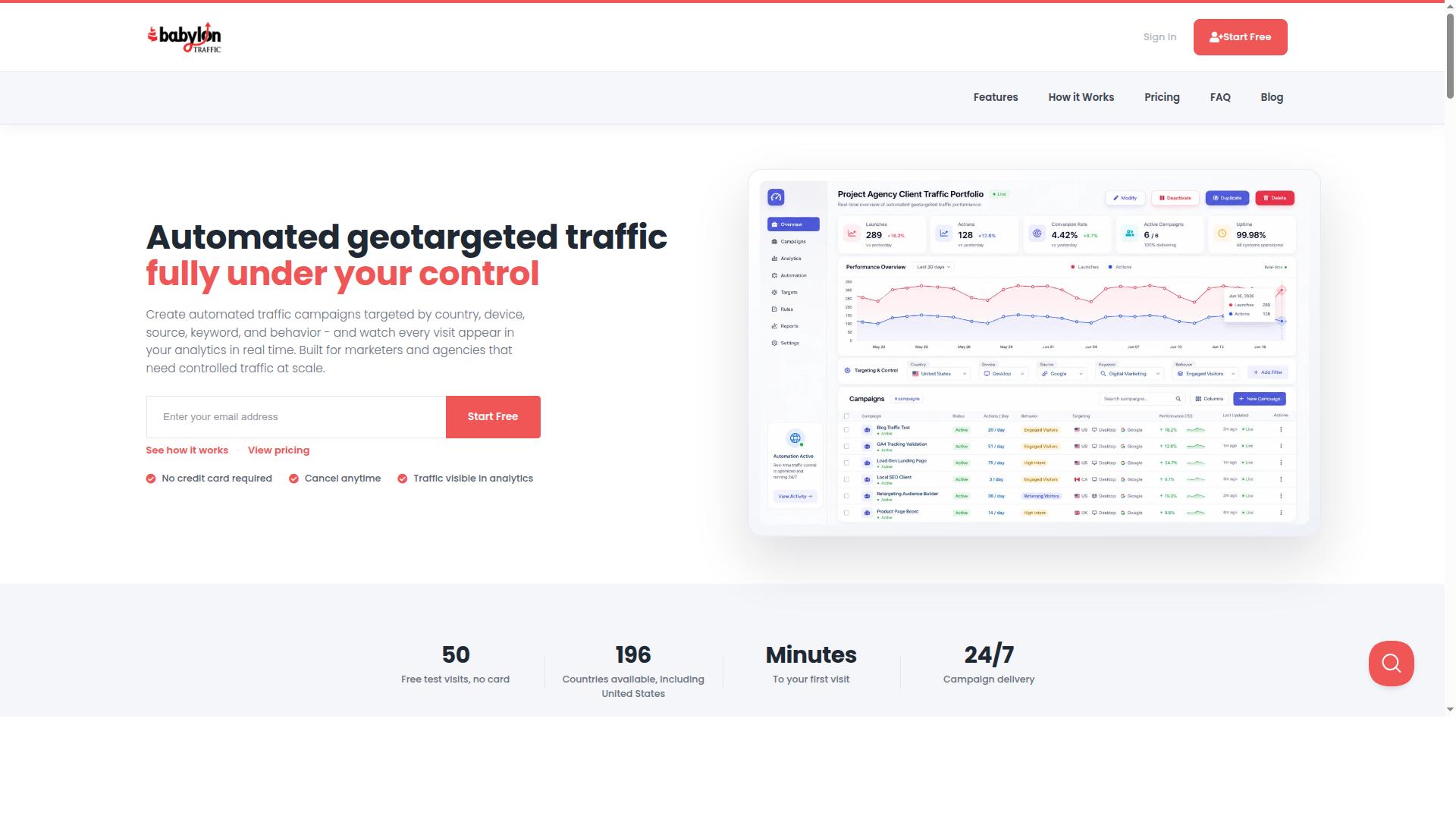
Traffic Creator is a generic term for tools or services that claim to generate automated clicks or traffic to improve CTR, but specific verified details about its features, pricing, and proof mechanisms are not publicly documented. The name describes a category of CTR manipulation software rather than a single, clearly defined product.
In practice, tools in this category typically promise to send automated clicks to a page so its click-through rate appears stronger in search results. The logic is that higher CTR signals relevance to search engines, which may influence organic ranking over time.
Because the term is used loosely, buyers should treat any Traffic Creator offer with caution until they can confirm exactly what is being sold. Vague branding often hides vague mechanics.
Based on how similar services are usually described, Traffic Creator likely bundles a few familiar techniques. These are general expectations for the category, not confirmed specifications for any named product.
- Automated click generation to inflate CTR on targeted pages
- Proxy rotation, possibly including residential proxies, to spread activity across many IP addresses
- User-agent spoofing and device emulation to mimic mobile or desktop traffic
- Basic keyword targeting and search query simulation so clicks appear to come from real searches
Whether any given Traffic Creator service actually delivers all of these, and how well, is unclear without independent evidence. Claims about IP diversity, session duration, or referrer spoofing are easy to make and harder to verify.
A key concern is the lack of transparency. Public pricing, feature documentation, and proof of how clicks are sourced are often missing, which makes it hard to judge value or risk.
Without a visible reporting interface or sample campaign data, users cannot confirm that traffic is genuinely diverse or that activity is throttled to look natural. That gap matters because search engines actively look for click bots and unnatural patterns.
Caution is the sensible default here. A tool that will not show its pricing or its mechanics in public is difficult to assess on merit alone, and the downside of poor-quality automated traffic can include wasted spend and account risk.
When evaluating any CTR manipulation service, including ones marketed under the Traffic Creator label, ask for concrete, checkable information. Transparency separates a serious tool from an opaque one.
- Is pricing published, or only available after a sales call?
- Can the provider explain how IP diversity and proxy sources are managed?
- Is there a dashboard or sample report showing real-time statistics?
- Are campaign controls like scheduling, throttling, and geo-targeting documented?
If the answers are vague or unavailable, that is itself useful information. The contrast with tools that publish verifiable details is stark, and readers should weigh that difference carefully before committing budget or trusting ranking outcomes to an unproven service.
Features Compared
This section compares CTRTool and Traffic Creator across three critical dimensions: campaign coverage, proof and reporting, and visit control. The goal is to show where each platform stands on transparency and the level of control a user actually gets.
One important distinction shapes the whole comparison. CTRTool's features are documented and verifiable, drawn from its published campaign types and reporting capabilities. Traffic Creator's feature set, by contrast, rests largely on general marketing claims rather than detailed public specifications.
The three sub-sections below follow the same structure. First, campaign coverage across search engines, maps and AI results. Then, proof and reporting, where evidence matters most. Finally, visit control over devices, keywords, locations and click behavior.
Readers should keep one question in mind throughout: can a feature be inspected before purchase, or must it be taken on faith? That question separates a tool built for search engine optimization professionals from one that asks for trust without documentation.
Campaign Coverage: Search, Maps and AI Overviews
CTRTool supports four distinct campaign types, Google Search, Bing Search, Google Maps, and AI Overviews, each with Desktop or Mobile options and specific targeting capabilities.
Each campaign type has clearly defined mechanics:
- Google Search CTR: search a keyword, click the organic result, with Top 100 results and internal pages supported.
- Bing Search CTR: the same keyword and organic click model applied to Bing.
- Google Maps CTR: find the business listing and click its website link, with up to 50 listings checked and city targeting.
- AI Overview CTR: find the website in the overview and click its source link, which requires a matching keyword and location.
Campaign setup is equally specific. Users can run up to 100 keywords per campaign, set search depth up to 100, and define daily search counts with now, spread out, or gap timing. Delivery runs through Desktop Chrome windows and real Android phone sessions matched to the target location through managed proxy routes.
Traffic Creator's coverage is far less clear. Based on general market claims, it appears likely limited to basic search clicks, with no public detail on Maps listings or AI Overview placements. Whether it supports mobile traffic and desktop traffic as separate, documented options is also unverified.
The takeaway is straightforward. CTRTool publishes exactly what each campaign does. Traffic Creator leaves buyers guessing about scope, which matters as AI Overviews and local results take up more of the SERP behavior that SEO work depends on.
Proof and Reporting: Screenshot Evidence vs Claimed Results
CTRTool provides screenshot proof for every visit, separate search and landing screenshots, along with full visit paths and keyword position tracking over time, including Maps listing order and AI citation order.
This evidence layer changes how campaigns are evaluated. Instead of trusting a summary number, users can inspect what actually happened during each visit. The search screenshot shows the query and result, and the landing screenshot confirms the click reached the target page.
Position tracking adds a second layer of value. Keyword positions are recorded over time, so movement in Search positions, Maps listing order, and AI citation order can be reviewed across a campaign's life. For agencies, that is the kind of verifiable evidence that supports client conversations.
Traffic Creator's reporting is harder to assess. Based on general market claims, Traffic Creator does not appear to offer per-visit screenshot proof, and its dashboard may show only aggregated statistics. Those claims cannot be confirmed from public documentation.
The practical difference is accountability. A ranking tracker built on screenshots lets an SEO practitioner connect campaign management decisions to observable outcomes. Aggregated statistics alone make it difficult to tell a successful visit from a technical failure, which is why documented proof remains the stronger position for professional use.
Visit Control: Devices, Keywords, Locations and Click Behavior
CTRTool gives users granular control over each campaign: choose Desktop or Mobile CTR, set keywords, target specific countries, states or cities, and configure click behavior such as session duration.
Location handling goes further than a simple country selector. Users can target country, state and city, or choose Any country, and visits that cannot verify the requested location use no credits. Combined with geo-targeting at this level, campaigns stay aligned with the audience a site actually serves.
Click behavior settings cover the details that shape a realistic visit. Users control click order and scrolling time, add up to five additional pages per visit, and cap visits at five minutes total. Daily goals reset at 00:00 UTC, and up to 100 campaigns with 100 keywords each can run from one shared credit balance.
Traffic Creator likely offers some similar controls, but without transparent documentation. Typical features in this category may include proxy rotation and user-agent spoofing, though specifics are unverified. The same applies to session duration and dwell time settings, which are difficult to confirm from public information.
CTRTool's documented approach wins on clarity. Device selection, keyword targeting, location precision and click timing are all stated openly, so users know what they are configuring before a campaign starts. The site itself notes that automated visits do not guarantee rankings, a fair caveat that keeps expectations grounded while the control features do their work.
Pricing Compared
CTRTool publishes clear monthly pricing in USD: Starter at $59/month for 2,000 credits (up to 1,000 Desktop CTR visits or 500 Mobile CTR visits) and Growth at $125/month for 5,000 credits (up to 2,500 Desktop or 1,250 Mobile visits). Two larger tiers extend the same structure for heavier campaigns.
Every plan is built on a credit model, and the credit costs are listed openly. A Desktop CTR visit costs 2 credits, a Mobile CTR visit costs 4 credits, a verified search without a match costs 1 credit, and a technical failure before landing costs 0 credits. That last detail matters: you are not charged when the tool fails before reaching the page.
The full tier lineup looks like this:
| Plan | Monthly Price | Credits | Visit Estimate |
|---|---|---|---|
| Starter | $59 | 2,000 | Up to 1,000 Desktop or 500 Mobile CTR visits |
| Growth (Recommended) | $125 | 5,000 | Up to 2,500 Desktop or 1,250 Mobile visits |
| Scale | $399 | 20,000 | Up to 10,000 Desktop or 5,000 Mobile visits |
| Agency | $699 | 40,000 | Up to 20,000 Desktop or 10,000 Mobile visits |
Two practical notes sit alongside the table. Unused credits roll over while a subscription stays active but expire when cancellation takes effect, so long-running campaigns can bank capacity. CTRTool also displays a limited launch note stating prices rise 30% on November 15, which gives buyers a visible deadline rather than an open-ended rate.
Traffic Creator's pricing is not publicly documented in the material reviewed for this comparison. Readers weighing it should request a direct quote and confirm what a plan includes before committing. Treat any third-party price claims about Traffic Creator with caution, since unverified figures circulate easily in this niche.
The transparency gap is the real story here. CTRTool shows credits, per-visit costs, and visit estimates upfront, so you can calculate cost per Desktop or Mobile visit before paying anything. Creating an account is free, and custom development carries a separate, agreed one-time fee. With Traffic Creator, that same math depends on information you have to ask for.
Who Should Choose CTRTool
CTRTool is ideal for SEO practitioners and agencies who need verifiable proof for every click, support for multiple search engines and Maps, and transparent pricing. The platform is built around accountability rather than volume alone, which changes how a campaign is planned, monitored, and reported.
That focus on proof matters most when someone else is paying for the work. Agencies running campaigns for clients are routinely asked to show what was delivered, and a dashboard total is rarely enough on its own. CTRTool's screenshot proof gives practitioners a record they can attach to a report or walk a client through line by line.
The platform supports campaigns across Google Search, Bing Search, Google Maps and AI Overviews. That spread lets an agency cover the surfaces where a client's listing or page actually appears, instead of treating every placement the same way. For local SEO work in particular, Maps support keeps the campaign aligned with how nearby customers find a business.
Accountability also shows up in the reporting layer. Full visit paths let you review how a session unfolded rather than judging it from a single click event. Keyword position tracking ties campaign activity back to where a page sits in results, so movement can be read alongside the clicks that preceded it.
Global geo-targeting rounds out the picture for teams managing campaigns in more than one market. Detailed reporting and clear pricing suit practitioners who want to explain costs and outcomes without guesswork. The sections below outline the specific strengths that make CTRTool a fit for this audience.
- Screenshot proof for every click, useful in client-facing reports
- Full visit paths so sessions can be reviewed in context
- Keyword position tracking to connect activity with ranking movement
- Global geo-targeting for campaigns across multiple markets
- Support for Google Search, Bing Search, Google Maps and AI Overviews
- Transparent pricing that is easy to pass along to a client
The site's own guidance also mentions using tier links, PBNs and test properties. Those practices point to a user who treats CTR campaigns as part of a broader SEO strategy rather than an isolated tactic. In that setting, the value of verifiable records grows, because every element of the strategy needs to survive scrutiny.
By contrast, a practitioner who only wants a rough sense of whether automated clicks move a page might find the reporting depth unnecessary. That is a fair trade-off to acknowledge. For anyone who has to justify spend or defend results to a stakeholder, though, the extra detail is the reason to choose CTRTool.
| Requirement | CTRTool | Traffic Creator |
|---|---|---|
| Screenshot proof of clicks | Included | Not a stated focus |
| Full visit paths | Included | General session handling |
| Keyword position tracking | Included | Limited or external |
| Search engine and Maps coverage | Google Search, Bing Search, Google Maps, AI Overviews | Narrower surface coverage |
| Global geo-targeting | Included | Varies by setup |
| Pricing transparency | Clear and published | Less clear |
The table above reflects publicly available feature information rather than hands-on testing. It is meant as a starting point for evaluating which tool matches how you work. If your campaigns live or die on documentation, CTRTool is the stronger fit.
Who Should Choose Traffic Creator
Traffic Creator may appeal to users seeking a low-cost, no-frills automated click solution, but without public pricing or proof, it carries higher risk. That trade-off matters most for people who value budget above everything else.
For a narrow set of users, that trade-off is acceptable. For anyone who needs to justify spend or show results to a client, it usually is not.
The tool tends to fit buyers who treat CTR manipulation as an experiment rather than a core part of their search engine optimization strategy. They want to see whether automated clicks move SERP behavior at all before committing more resources.
In that scenario, a basic click generation setup can serve as a rough starting point. It lets a user observe how traffic volume and click velocity interact with keyword targeting, even if the underlying mechanics stay unclear.
Traffic Creator is also a plausible fit for solo site owners running small campaigns. Someone testing a handful of keywords on a personal blog may not need proxy rotation, geo-targeting, or device emulation controls. A simpler tool with fewer dials can feel less overwhelming, provided the user accepts the uncertainty.
Buyers who prioritize low upfront cost over transparency often land here first. The catch is that without published pricing, the real cost only becomes clear after the fact.
There is a second group worth naming: users who are simply curious about click bots and want a low-stakes entry point. For them, an opaque tool is a learning exercise, not a business dependency.
That framing breaks down quickly once money or reputation is on the line. Agencies and in-house teams typically need a different set of assurances.
Several practical gaps make Traffic Creator a poor fit for professional accountability:
- No verifiable proof of how clicks are delivered, which makes client reporting difficult to defend.
- No public pricing, so budgeting and cost comparison across campaigns becomes guesswork.
- Unclear controls for session duration and dwell time, which are central to credible SERP behavior.
- Limited visibility into IP diversity, residential proxies, or user-agent spoofing practices.
- Weak footing for campaign management when multiple keywords, regions, or devices are involved.
An agency pitching organic ranking gains to a client will be asked how the traffic was generated. A tool that cannot answer that question with evidence puts the relationship at risk. The same applies to reporting interfaces and real-time statistics, which clients increasingly expect.
Teams that need a ranking tracker, conversion tracking, or a clear dashboard analytics view should treat missing transparency as a warning sign. Cheap is not the same as safe.
In short, Traffic Creator suits hobbyists and budget-first experimenters who accept the unknowns. It does not suit anyone who must prove results, forecast spend, or answer to a stakeholder.
Final Verdict
CTRTool wins this comparison due to its verifiable screenshot proof, transparent pricing, and comprehensive campaign coverage across Google Search, Bing Search, Maps, and AI Overviews. The decision comes down to what a serious CTR manipulation campaign actually needs: evidence you can inspect, costs you can predict, and controls that match how real users behave.
Traffic Creator may appeal to buyers shopping on price alone. But without the same level of documented proof and campaign transparency, the savings are hard to justify for anyone treating organic ranking as a long-term asset.
The table below summarizes where the two tools separate most clearly, based only on publicly available information and CTRTool's verified features.
| Factor | CTRTool | Traffic Creator |
|---|---|---|
| Proof of visits | Search and landing screenshots as separate proof images for every visit, plus full visit paths | Proof level is not clearly documented in public materials |
| Pricing model | Pay-for-results credits, with no credits charged for technical failures before landing or for visits that cannot verify the requested location | Pricing structure varies and is not always easy to compare line by line |
| Position tracking | Keyword positions tracked over time, including Maps listing order and AI citation order | Ranking visibility is typically limited to basic position checks |
| Campaign capacity | Up to 100 campaigns with 100 keywords each on one shared credit balance | Capacity depends on the plan tier chosen |
| Visit depth | Visits up to 5 minutes with up to 5 additional internal pages | Session length and page depth options are less clearly specified |
Proof is the biggest differentiator. A screenshot for every visit, split into search and landing images, gives agencies something concrete to show clients. Combined with full visit paths, it turns a campaign from a black box into an auditable record.
Traffic Creator's reporting is generally described in vaguer terms. When a client asks what actually happened during a campaign, unverified delivery is a difficult position to defend.
Pricing transparency matters just as much. CTRTool's pay-for-results credit model means technical failures before landing cost nothing, and visits that cannot verify the requested location use no credits. Unused credits also roll over while a subscription stays active.
That structure makes budgets easier to forecast across keyword targeting and geo-targeting work. A cheaper headline price elsewhere can quickly lose its edge once failed or unverifiable visits are factored in.
Control features decide how natural a campaign looks. CTRTool supports session duration up to 5 minutes with up to 5 additional internal pages, which helps with dwell time rather than quick hit-and-run clicks.
One credit balance is shared across all campaign types, websites and keywords, so campaign management stays simple as accounts grow. Capacity reaches up to 100 campaigns with 100 keywords each, enough for agencies running multiple clients at once.
Recommendation: professionals and agencies should choose CTRTool. The combination of screenshot proof, position tracking that includes Maps listing order and AI citation order, and a pay-for-results model gives teams the accountability that client work demands.
Traffic Creator might suit a very small budget experiment, but the risks are real. Unverified delivery makes SERP behavior hard to confirm, and weak reporting leaves little to show for spend. For anyone serious about search engine optimization outcomes, that trade-off rarely pays off.
Review the feature set and credit model on the official CTRTool website, then judge the two tools against your own campaign requirements.
Frequently Asked Questions
What is the core difference between CTRTool and Traffic Creator when it comes to CTR campaigns?
CTRTool is built specifically as a CTR campaign tool with screenshot proof for every visit, covering Google Search, Bing Search, Google Maps and AI Overviews, with full visit paths and keyword position tracking over time. Traffic Creator is another traffic service that, per its blog, emphasizes GA4-visible visits and offers 6,000 free visits over 24 hours as a test. The practical difference is that CTRTool documents each visit with search and landing screenshots as separate proof images, which matters when you need to verify results for yourself or a client.
Does CTRTool offer a free trial like Traffic Creator's 6,000 free visits?
Traffic Creator's blog advertises 6,000 free visits over 24 hours with no credit card required. CTRTool's published plans are paid monthly subscriptions in USD - Starter at $59/month for 2,000 credits and Growth at $125/month for 5,000 credits - and the verified brand facts do not state a free trial. If you want to evaluate CTRTool, the credit-based structure lets you start on the entry plan and scale up as you see results.
How do the two tools compare on campaign types and targeting?
CTRTool runs Desktop and Mobile CTR campaigns for Google Search, Bing Search, Google Maps and AI Overviews, letting you choose Desktop CTR or Mobile CTR per campaign, set keywords, and target a country with an optional state and city (or "Any country" for a mix of supported locations). Traffic Creator's scraped pages do not detail comparable campaign-type or geo-targeting specifics, so a feature-by-feature match isn't possible from available sources. If multi-platform coverage across search, Maps and AI Overviews matters to you, CTRTool's scope is clearly documented.
Which tool gives better proof that visits actually happened?
CTRTool's positioning is explicitly "a CTR tool with screenshot proof for every visit" - each visit includes search and landing screenshots as separate proof images, plus full visit paths and keyword position tracking over time, including Maps listing order and AI citation order. Traffic Creator's stated feature is GA4-visible traffic, which shows visits in analytics but is not the same as per-visit screenshot documentation. For agencies needing audit-ready evidence for clients, CTRTool's proof model is the more direct fit.
How does pricing work on CTRTool compared to Traffic Creator?
CTRTool publishes clear monthly USD plans: Starter at $59/month for 2,000 credits (up to 1,000 Desktop CTR visits or 500 Mobile CTR visits) and Growth at $125/month for 5,000 credits (up to 2,500 Desktop or 1,250 Mobile visits), with credits tied to results. Traffic Creator's pricing is not stated in the sources reviewed - no plan names or prices appear on its scraped pages - so a direct cost comparison isn't possible here. CTRTool's advantage is transparency: you know exactly what you pay and what visit volume it buys.
Can CTRTool handle campaigns for client websites and multiple platforms?
Yes. CTRTool is aimed at SEO practitioners and agencies running CTR campaigns for their own or client websites, and its guidance mentions using tier links, PBNs and test properties. Campaigns can run across Google Search, Bing Search, Google Maps and AI Overviews, with requirements such as the page appearing in the top 100 organic results, Maps campaigns checking up to 50 listings, and AI Overview campaigns needing a matching source link. Traffic Creator's sources don't document equivalent multi-platform or agency-oriented campaign controls.